
🌐 Language icons
Forked from AnandChowdhary/language-icons




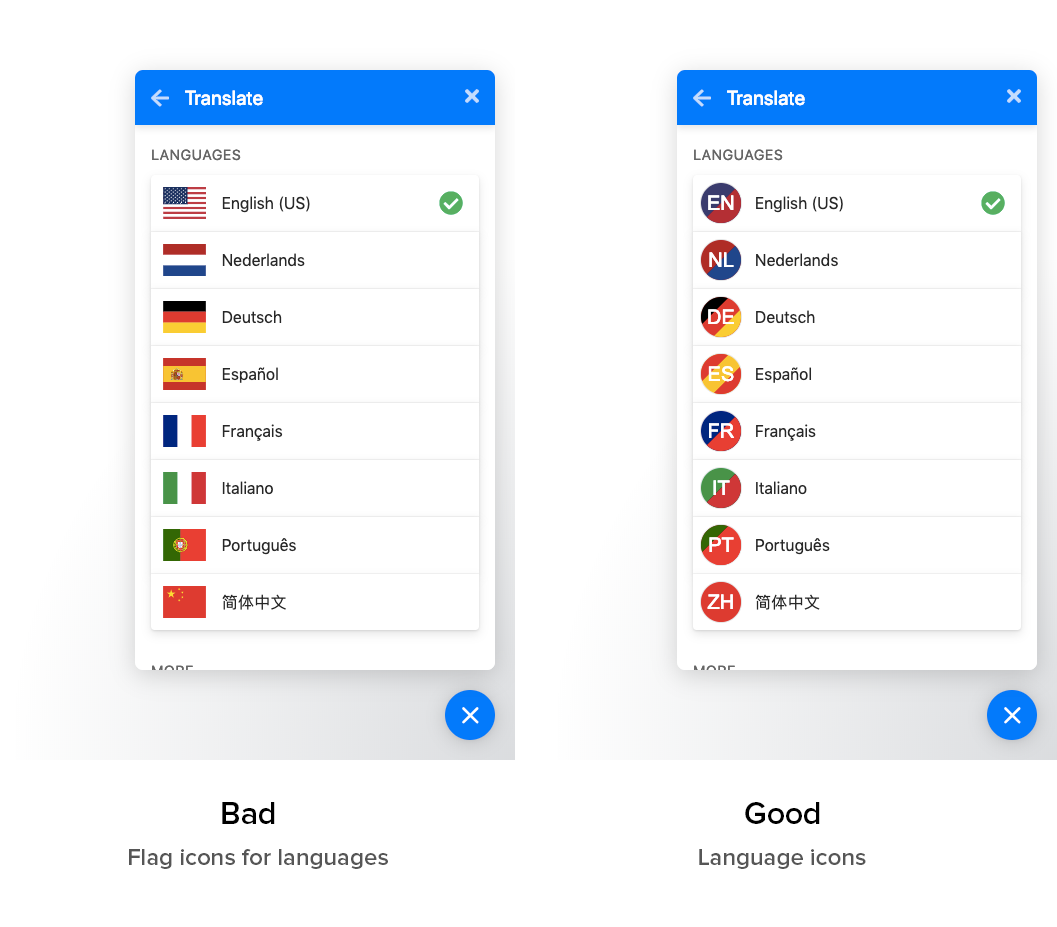
Flags are not languages, so we shouldn’t use country flags as language icons.
You can use these icons instead.
They are generated using the language’s ISO 639-1 code, combined with some colors. Colors are flag-inspired. For example, green/red for Portuguese, and they fallback to blue for unknown colors. If you want to color a currently blue icon, edit the colors.json file and make a pull request.
Each icon is an SVG, around 300 ± 10 bytes.
🖼️ Usage
You can use a CDN like Unpkg to embed a flag icon:
https://unpkg.com/language-icons/icons/LANGUAGE_CODE.svg
In HTML, for example:
<img alt="English" src="https://unpkg.com/language-icons/icons/en.svg">
With the CSS style style="border-radius: 50%" the icon can be converted to a circle:
<img alt="English" src="https://unpkg.com/language-icons/icons/en.svg" style="border-radius: 50%">
💻 Install
npm install language-icons
📦 NPM package usage
Each icon is published as an SVG file under language-icons/icons/ and named after its two-character ISO 639-1 language code.
Package file path
If your tool needs the installed SVG file directly, icons are available at node_modules/language-icons/icons/<code>.svg, for example node_modules/language-icons/icons/en.svg.
React
Most React bundlers can import SVG files from the package as asset URLs, depending on their SVG loader configuration:
import englishIcon from "language-icons/icons/en.svg";

export function LanguageIcon() {
  return <img src={englishIcon} alt="English" width={32} height={32} />;
}
React with Material UI SvgIcon
If your bundler is configured for SVG components with SVGR, you can wrap an icon with MUI’s SvgIcon. Choose one import style based on your bundler:
import SvgIcon, { SvgIconProps } from "@mui/material/SvgIcon";
import { ReactComponent as EnglishIconSvg } from "language-icons/icons/en.svg";

export function EnglishLanguageIcon(props: SvgIconProps) {
  return <SvgIcon component={EnglishIconSvg} inheritViewBox {...props} />;
}
For Vite projects using vite-plugin-svgr, import the SVG component with the ?react suffix instead:
import EnglishIconSvg from "language-icons/icons/en.svg?react";
📖 Reference
⭐ Why
🎨 Icons
See the list of icons: https://unpkg.com/language-icons/icons/












⚒️ Building
Install Typescript dependencies and build icons using the npm run build command.
📝 License
Icons and code, both MIT