
cr
A local-first database made from Markdown.
Typed front matter · audited changes · CLI · REST API · server-rendered views
Quick start · Screenshots · Documentation · HTTP API · Roadmap
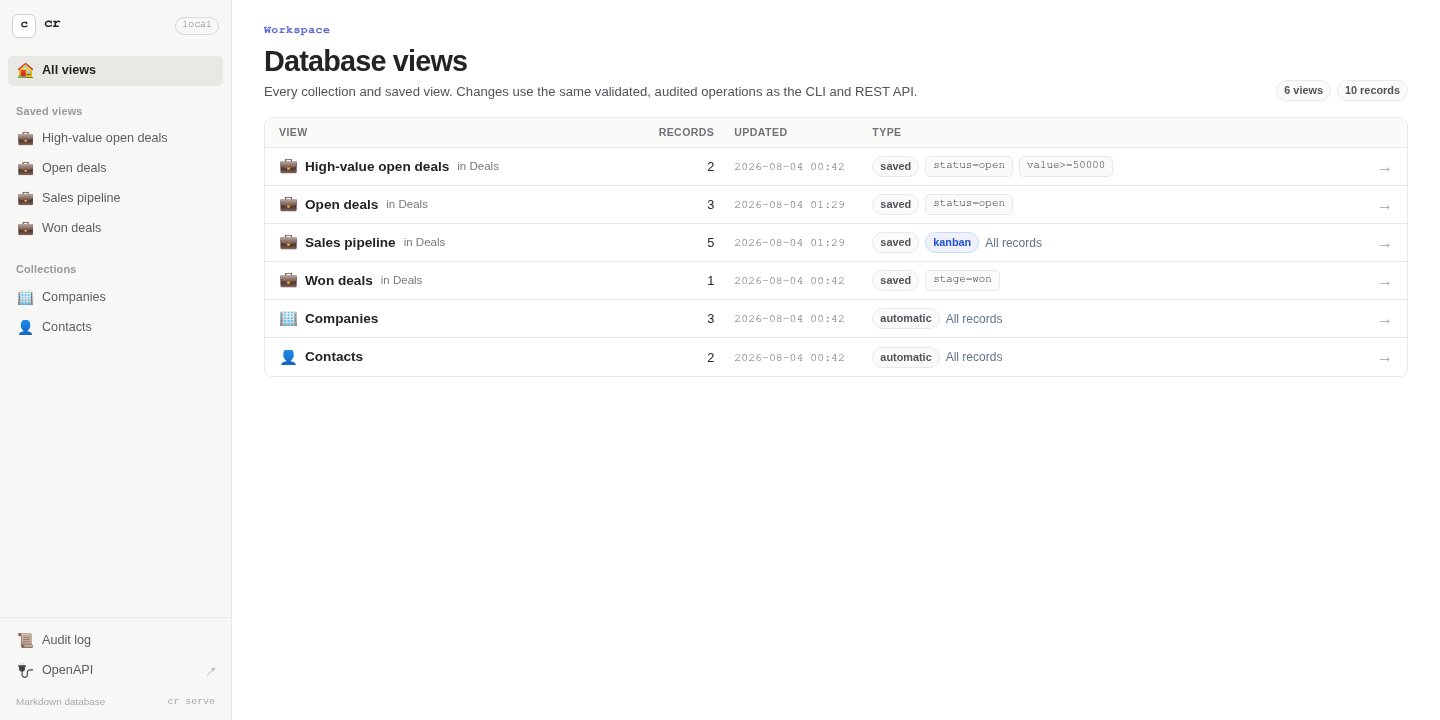
cr turns a folder of ordinary Markdown files with YAML front matter into a queryable database. Choose any collections and fields, then use the same project as a CRM, applicant tracking system, project tracker, knowledge base, or another custom data tool.
Your editor can edit it. Git can diff it.
crcan validate, query, audit, sync, and serve it.
| Own the source | Model what you need |
|---|---|
| Each record is a readable Markdown file by default. Direct edits are first-class; collections that need confidentiality can opt specific values into encrypted storage. | Collections and typed YAML fields are arbitrary, with optional JSON Schema validation and relationships. |
| Query everywhere | Trust the history |
| Filter, compare, sort, search, and page through the same data from the CLI, REST API, tables, or Kanban boards. | Every accepted create, update, link, move, direct edit, sync, and delete extends a tamper-evident audit chain. |
See it in action
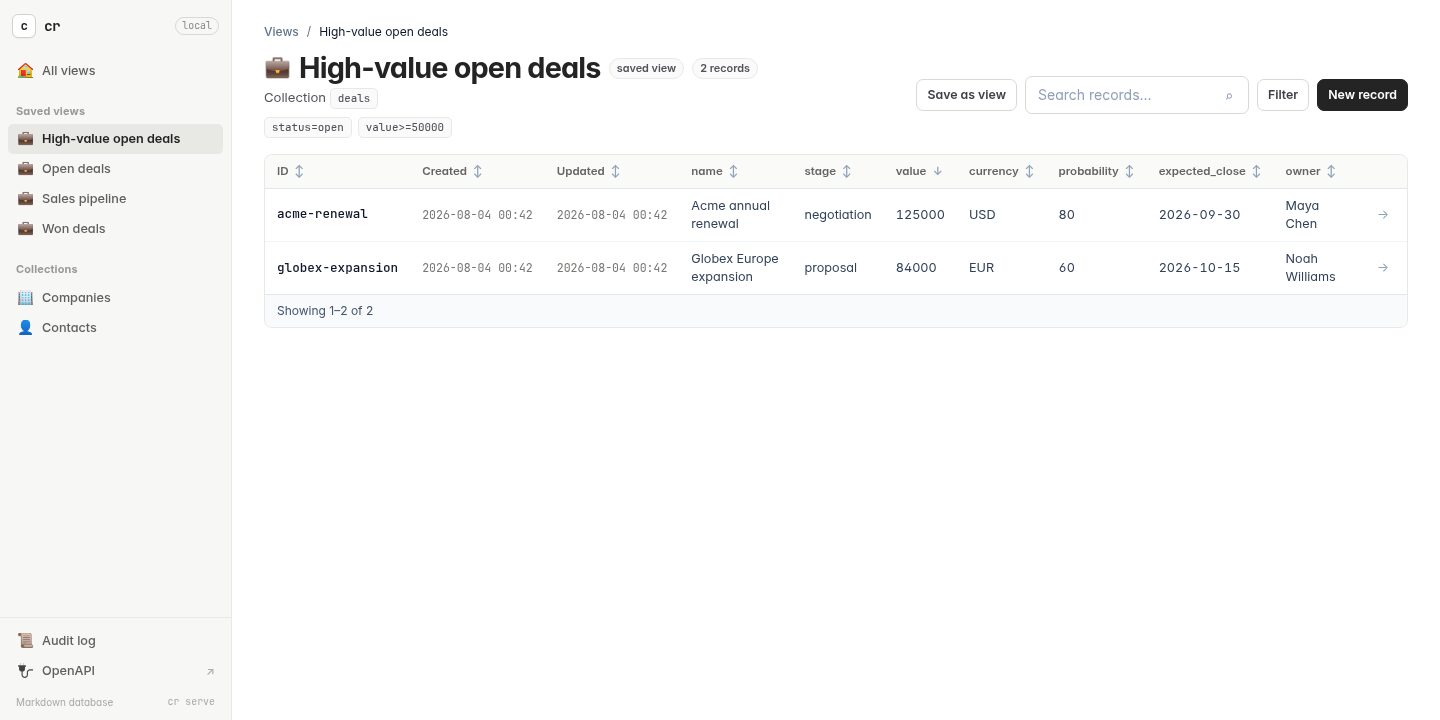
Saved tables — searchable, filterable, sortable, and editable. |
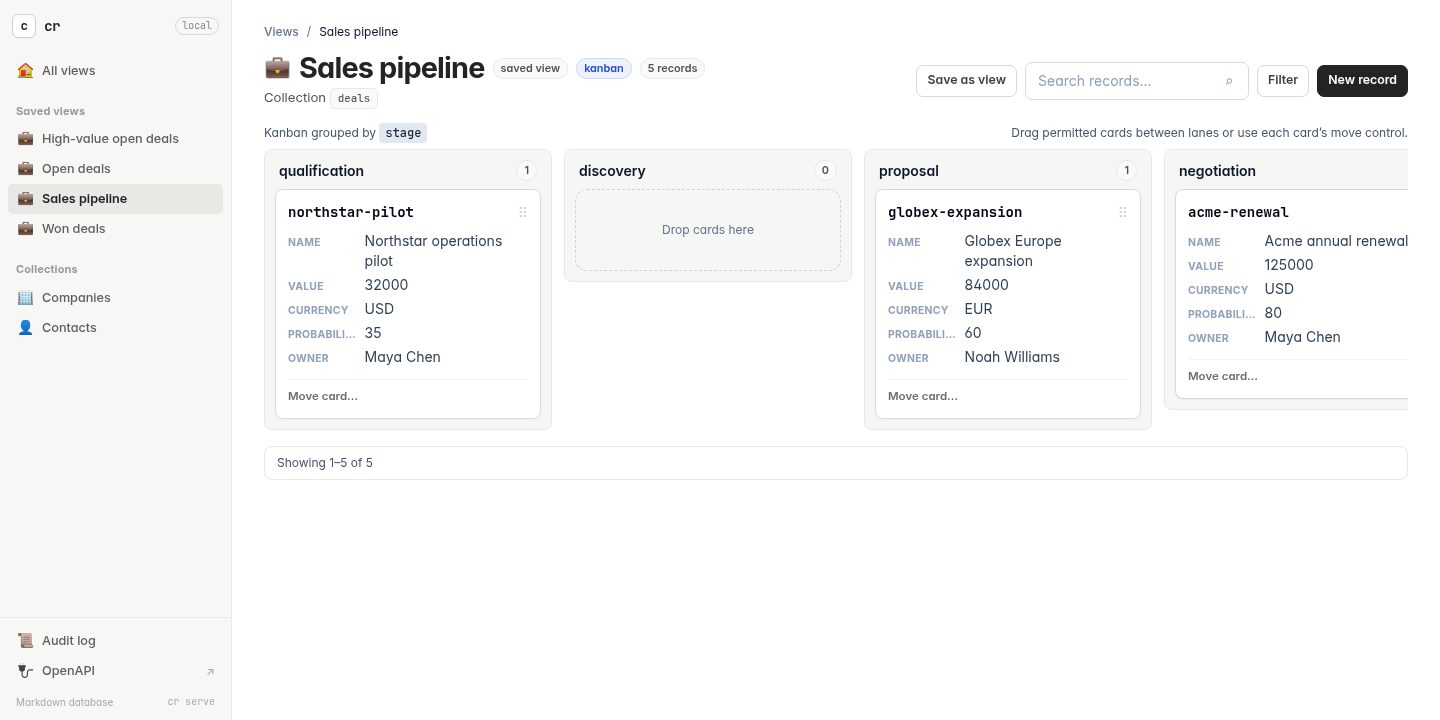
Kanban pipelines — moving a card updates and audits its grouping property. |
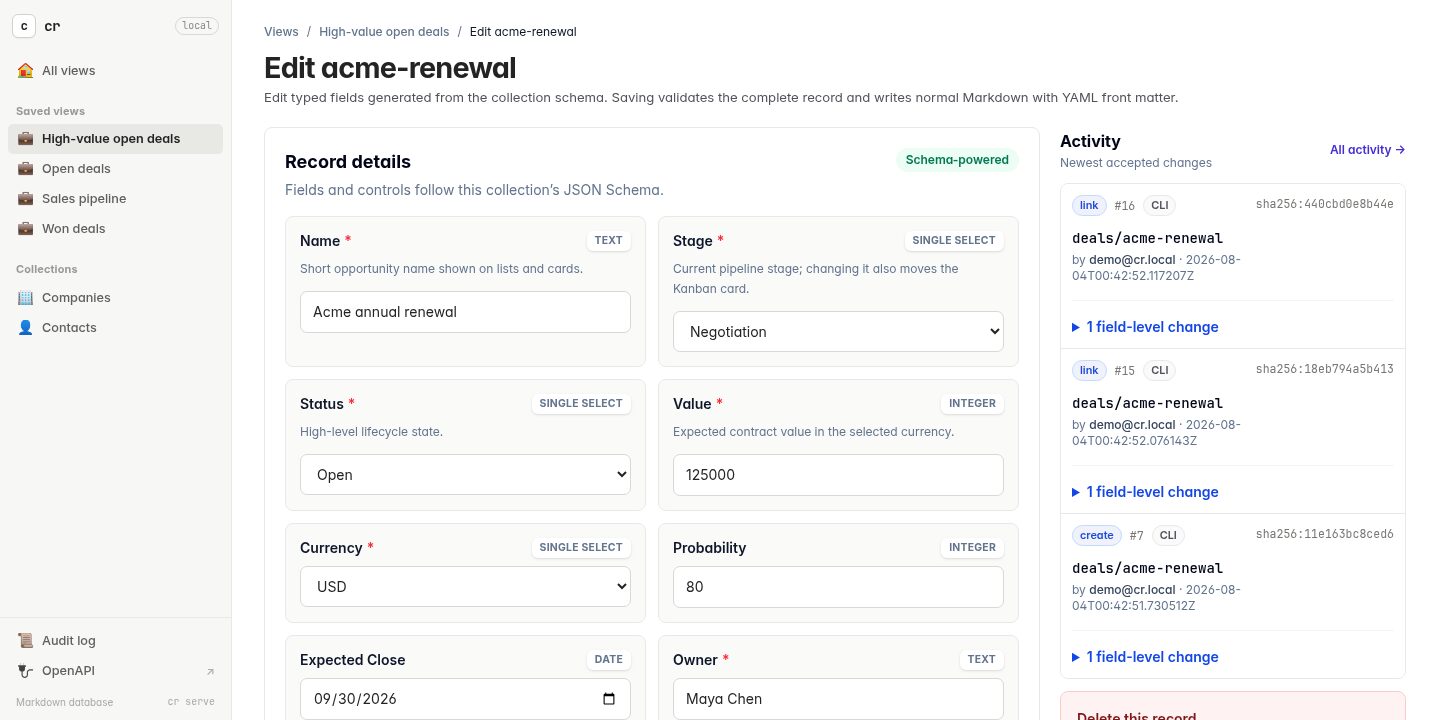
Record history — schema-driven forms beside actor, source, timestamp, and field-level changes. |
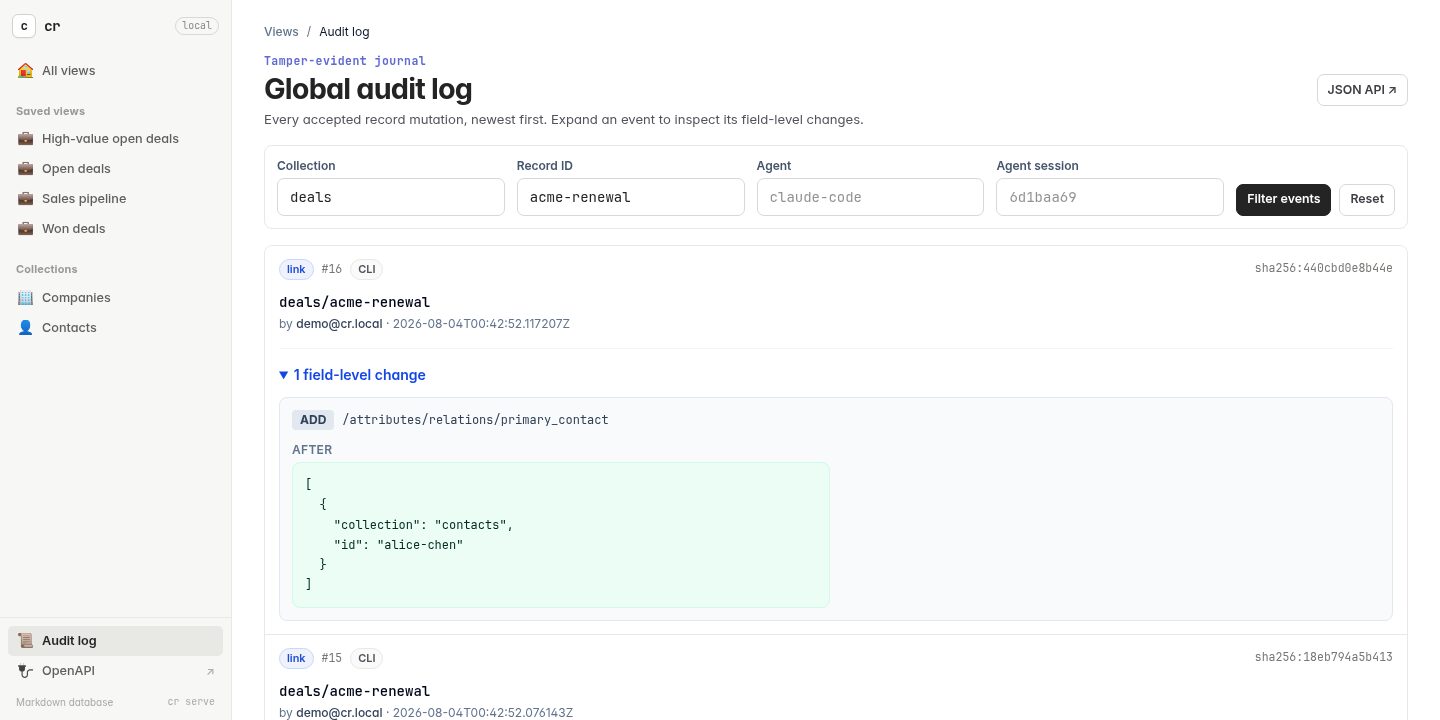
Global audit log — filtered, paginated, and independently verifiable. |
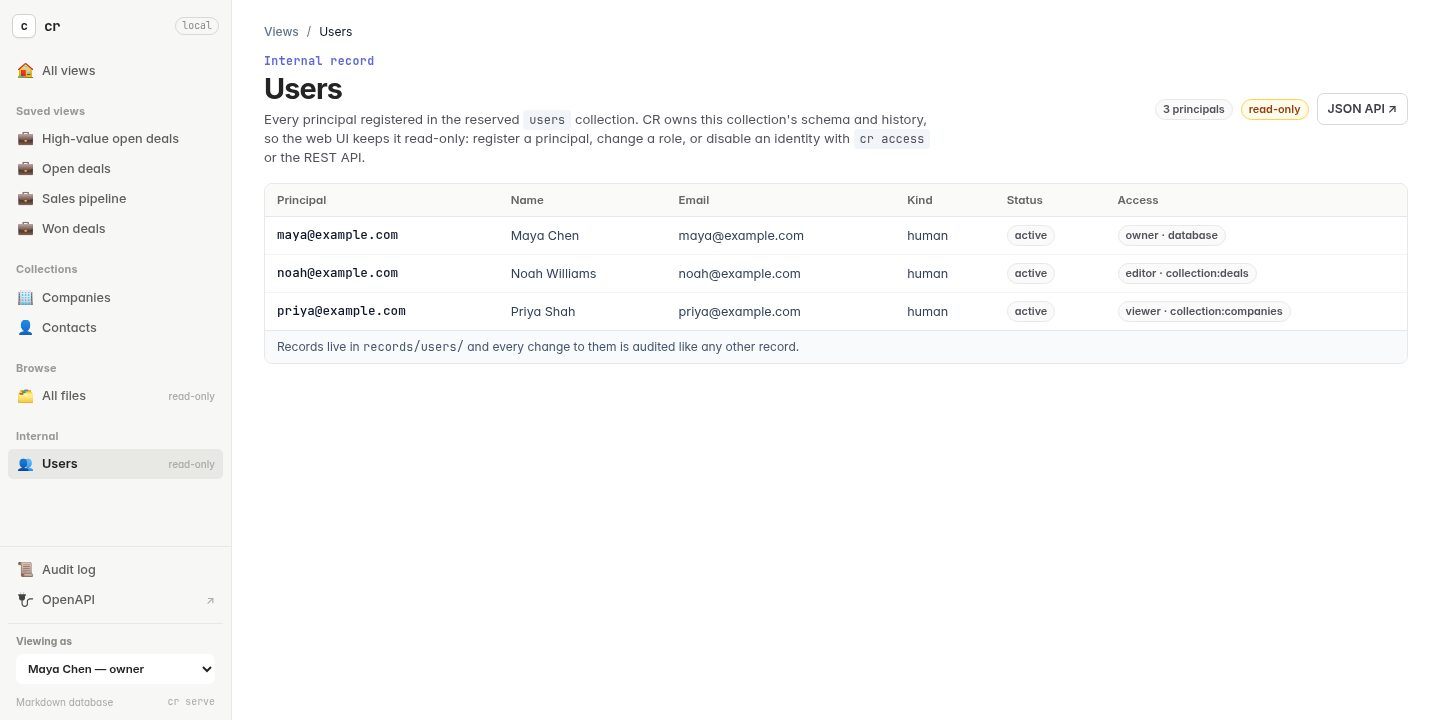
Access control — opt-in users, roles, and private or shared records. |
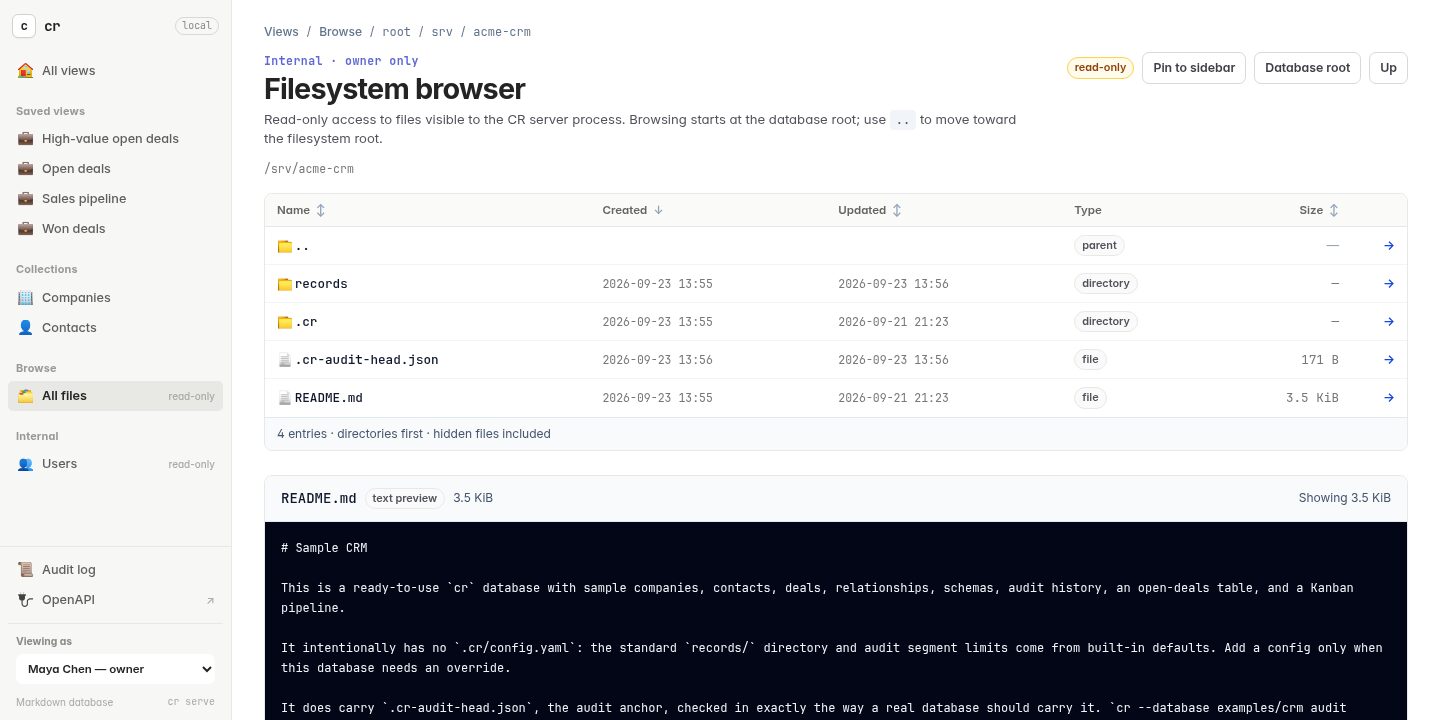
File browser — an owner-only view of the files around the database, with in-place editing and confirmed deletes. |
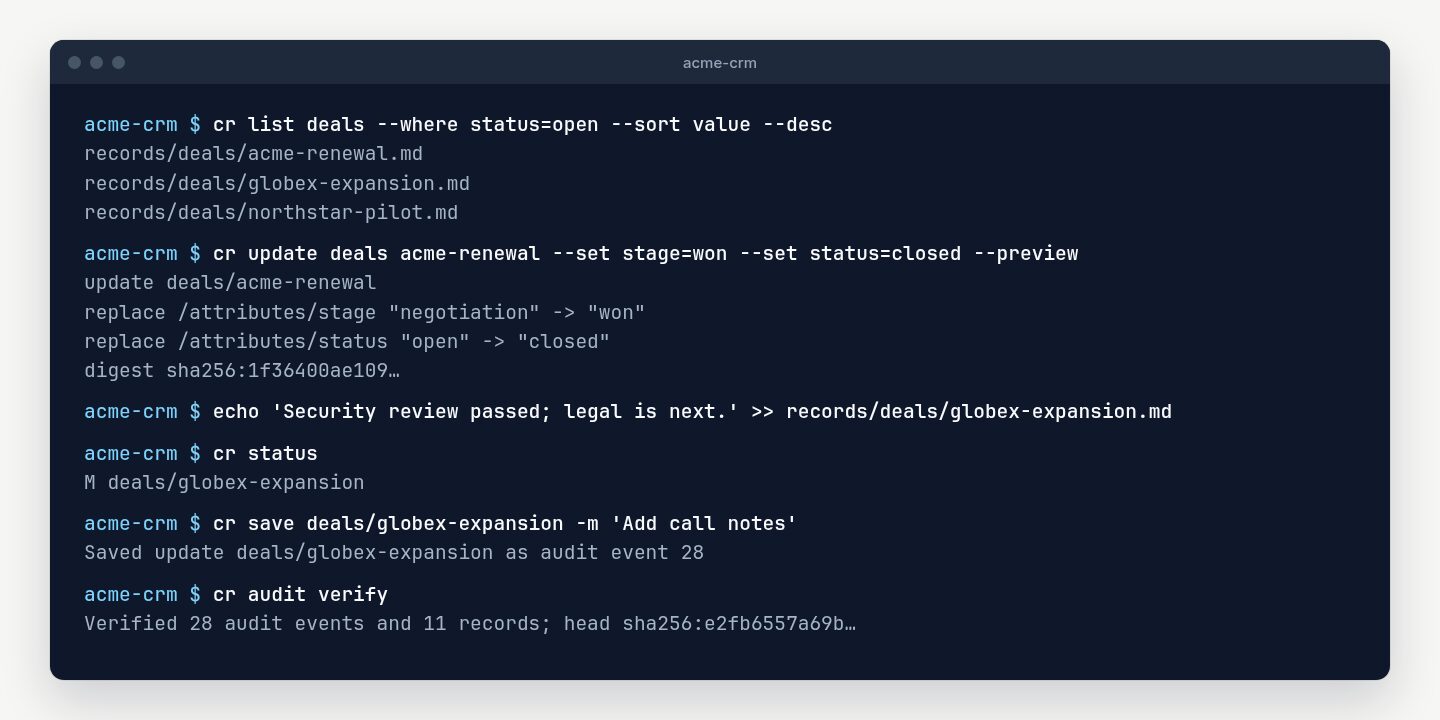
The CLI — query, preview a change before writing it, or edit a file in any editor and record it with cr save.
|
|
How it works
A record is a Markdown file at records/<collection>/<id>.md. Structured fields
live in its YAML front matter, and free-form notes in its body:
---
name: Acme Corporation
industry: Manufacturing
active: true
tags:
- enterprise
- renewal
---
# Acme Corporation

Account notes go here.
A collection can instead store each record as a folder — a Markdown entry such
as SKILL.md beside the scripts, references, and assets it uses — and every
file in it is versioned and audited with the record.
- Change it however you like.
cr createandcr update, the REST API, and the browser forms make the same validated, audited write. Edit the file in your editor instead, andcr statusshows the change untilcr saverecords it. - Every change is on the record. Each accepted write appends an event to a
hash-chained journal: who made it, from where, and—when an agent acted for
someone—which agent, under what approval, and why.
cr audit verifyreplays the whole chain. - Structure is opt-in. A collection is schemaless until you give it a JSON Schema. The same schema can encrypt chosen fields at rest, generate the web forms, and describe the collection in the generated OpenAPI document.
- So is access control. Users, roles, and private or shared records are stored in the database, and the CLI, the API, and the web UI apply the same decision.
Quick start
Download the archive for your platform from the
latest release and put
cr on your PATH, or build it with a current Rust toolchain:
cargo install --git https://github.com/AnandChowdhary/cr --locked
Installation lists every platform, shows how to verify a download’s checksum and build provenance, and includes an update script.
The repository includes a complete CRM with companies, contacts, deals, relationships, schemas, audit history, saved tables, and a Kanban pipeline:
git clone https://github.com/AnandChowdhary/cr.git && cd cr
cr --database examples/crm audit verify
cr --database examples/crm serve
Open http://127.0.0.1:3000/ for the database home,
/deals for open deals, /pipeline for Kanban, or /audit for the journal.
Or start a database of your own:
cr init ./my-database && cd ./my-database
export CR_NAME='Jane Doe' CR_EMAIL='jane@example.com'

cr create companies acme --set 'name=Acme Corporation' --set 'active=true'
cr list companies --where 'active=true'
cr audit log
cr serve
Getting started goes through the same steps in more detail.
Documentation
Start here
- Installation — supported platforms, verified downloads, building from source, and updating.
- Getting started — create a database, set your identity, and learn what a record is.
- Working with records — create, read, update, link, delete, filter, and search records, edit the files directly, and store records as folders of files, such as Agent Skills.
- Examples — a CRM and an applicant tracking system, step by step.
Model and protect your data
- Schemas — optional JSON Schema validation for each collection.
- Encryption — encrypt chosen fields and bodies at rest.
- Access control — users, roles, and private or shared records.
- Audit history and integrity — SQLite audit storage, one-time
cr audit migrate, anchoring in Git, signing checkpoints, andcr check.
Automate and integrate
- Agents and automation — record which agent acted and why, let a Claude Code hook fill that in, approve a change set before it is written, and retry writes safely.
- Sync adapters — import data from any program that prints JSON Lines.
- Web UI —
cr serve, tables, Kanban boards, forms, and the file browser. - REST API — authentication, CRUD, filtering, audit endpoints, and OpenAPI.
Reference
- Command reference — every command and option at a glance.
- Troubleshooting — common errors, and what to back up.
For the design, see architecture and
releasing. Planned work—including nested Boolean
expressions, projections, relationship traversal, and indexes—is tracked in
TODO.md.
Development
cr requires Rust 1.89 or newer, declared as rust-version in Cargo.toml.
Source builds download htmx and its license once per build cache and verify
their pinned SHA-256 digests before embedding the script. See
offline source builds to use
predownloaded files. The installed binary and its UI work offline.
Continuous integration runs these exact commands on Linux, so running them locally reproduces the pipeline:
cargo fmt --all --check
cargo clippy --locked --all-targets -- -D warnings
cargo build --locked --all-targets
cargo test --locked
During development, use cargo run -- instead of the installed command—for example, cargo run -- --help.
See docs/architecture.md for the storage protocol and integrity boundaries. TODO.md is the canonical list of shortcuts, technical debt, and planned capabilities; update it in the same commit as future feature work. User-facing behavior is documented in the guides under docs/; update the guide a change affects in the same commit.
Security
Report vulnerabilities privately as described in SECURITY.md rather than in a public issue.
License
Released under the MIT License.