Prospecting & Qualification on FirstQuadrant
Campaigns and Actions only worked well when the CRM had good people and company records. Prospecting was the intake layer: bring in contacts, enrich them, qualify them, and make them usable across the rest of FirstQuadrant.
The first version centered on Apollo.io. Apollo had the breadth of B2B data we needed, and we built a workflow to search, filter, and qualify prospects without leaving FirstQuadrant. Later, this became a broader imports system. CSV files, API/webhook intake, app integrations, saved views, visitor identification, and product signals could all become audiences.
That shift mattered. FirstQuadrant only became useful once a contact was explicitly in the workspace. Imported contacts could be enriched, appear in the CRM, be added to campaigns, receive AI reasoning, and eventually produce actions.

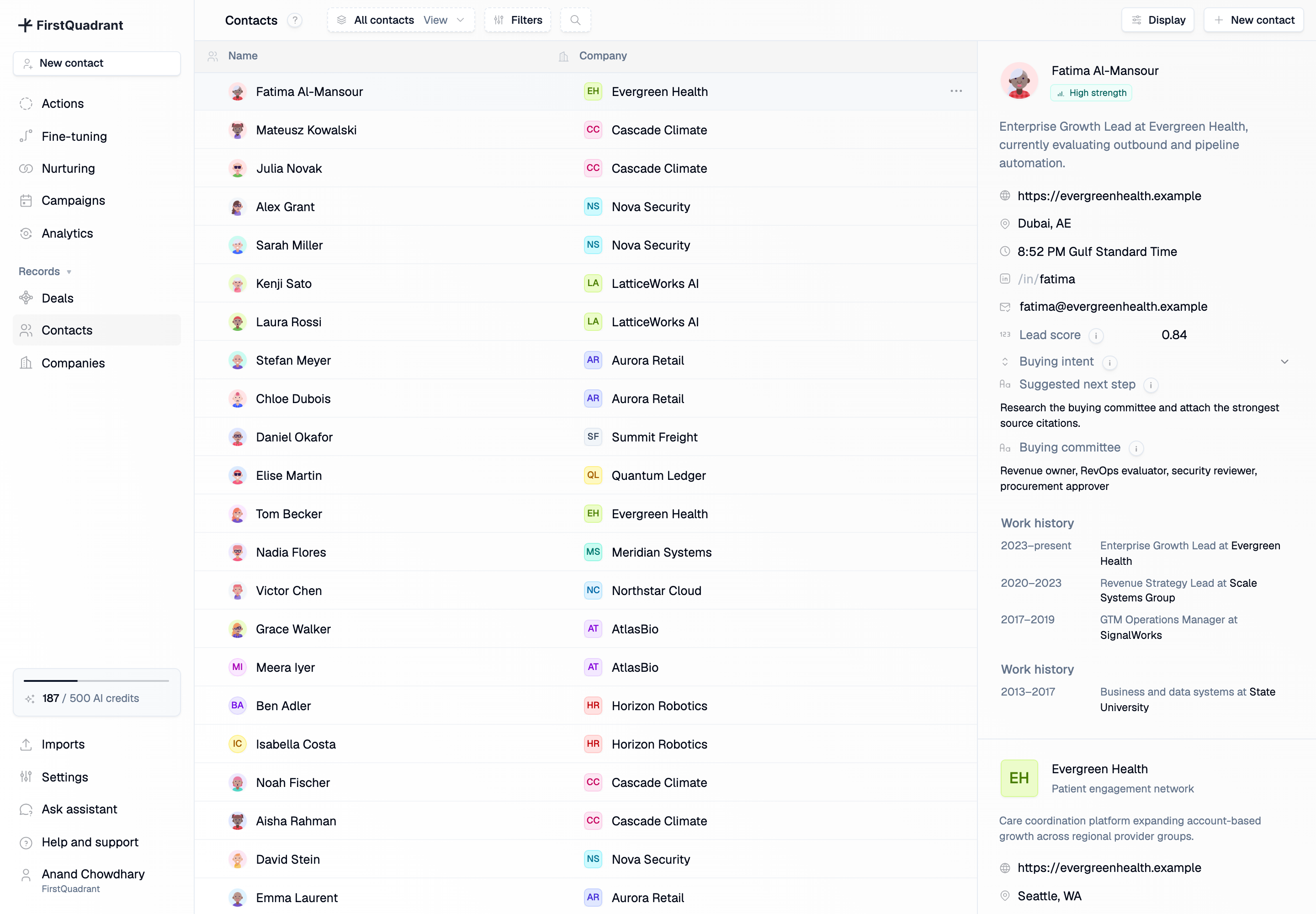
The contact list became the working database for that audience. It supported saved views, filters, import-specific views, counts, custom properties, and auto-refresh while enrichment was still running. Selecting a contact opened a context panel with the person, email addresses, social handles, employments, company information, related contacts, deals, and enriched properties. It was built for repeated sales work: scan, segment, open context, keep moving.
For teams with existing lists, CSV import did a lot of the unglamorous work. The uploader parsed CSV files, suggested field mappings from common header names, previewed sample values, validated rows, and supported contact, employment, and company fields. A rough export from another tool could still become structured CRM data.
We also built integration audiences through app imports and API keys with fqa_pub_ previews. Leads could flow in from forms, webhooks, website visitor tools, product analytics, or CRMs. Imports could run immediately or on a recurring schedule, which made them useful for one-time lists and ongoing sources like product signups.
The supporting settings belonged to this workflow. Apps showed where leads could come from. API keys made server-to-server intake possible. Custom properties gave enrichment and qualification results somewhere structured to live. Data export kept the contact database portable.


The best part was qualification. Every import could run standard checks such as company website availability, verified work email, professional email domain, and duplicate-contact exclusion. Users could also add their own qualifying questions. Some used existing properties. Others used web search. The row detail panel showed the answer, whether it qualified, the reasoning, and source citations.
Qualification had to stay controllable. Web-search questions cost more than existing-property questions, and the import form showed credit usage before starting. If criteria changed, the system could ask whether to re-qualify existing rows or only apply the new rules to future rows. Individual rows could also be qualified manually or re-run.
After qualification, teams could run reasoning for the contacts that made it through. FirstQuadrant would decide what to do next, then create suggested emails or tasks for review in Actions.
We later added audience segmentation and richer account views. A broad campaign could create engagement, qualification could find the best-fit subset, and the team could turn that subset into a tighter follow-up audience. The data model supported both individual contacts and account-level context, so prospecting could grow into account-based sales work instead of stopping at lead capture.
Additional product views
Company pages completed the picture. They gave teams an account-level view of enrichment, custom properties, related contacts, deals, and activity history.

